

Attendance management
Manual vs Digital Student Attendance Management
Compare paper registers with digital attendance workflows and learn what schools should consider before changing their process.
By Infinio Labs Technologies Pvt. Ltd.
Attendance is a routine school task, but the way it is recorded affects how quickly staff can review a class, correct an error or prepare a report. Paper registers can work for small or simple processes; digital tools can make records easier to organise when an institution has many classes or locations.
How paper registers work
A teacher marks a printed register and the school stores it for later reference. This process is familiar and does not depend on a device or network, but compiling information across classes or dates can take additional effort. Paper records also need a reliable filing and retention process.
What a digital attendance system changes
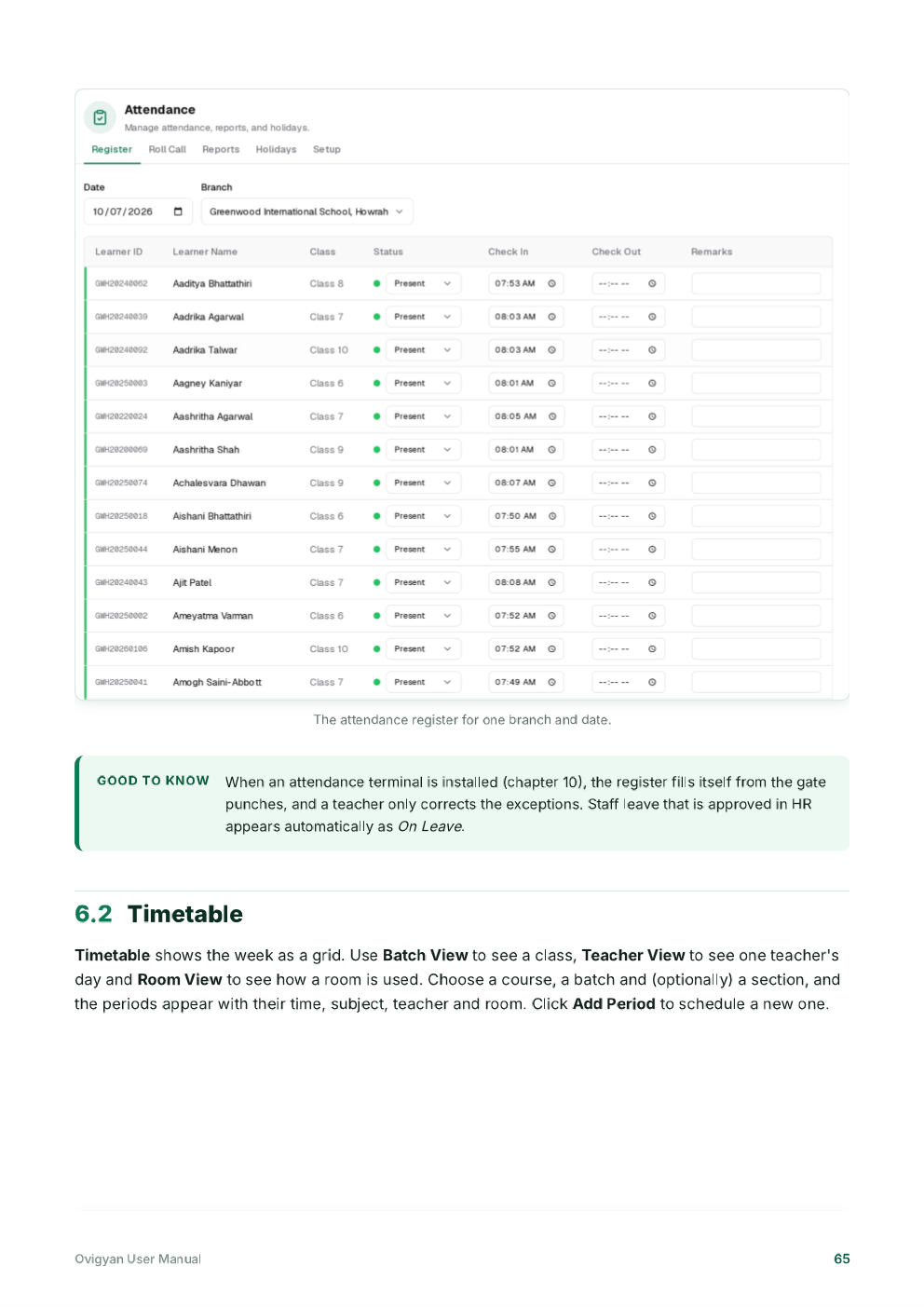
A digital system lets authorised staff record attendance in an application and review saved records through the system’s available views or reports. Ovigyan’s manual includes a daily attendance register and describes optional attendance terminals that can apply matching punches to student records when configured.
Digital tools still require a clear process for corrections, absences, connectivity interruptions and access permissions. A terminal or device should be tested with the school’s actual users before relying on it.
A simple comparison
- Paper: low setup requirements, familiar process, manual retrieval and reporting.
- Digital: searchable records and faster review, with setup, training and device needs.
- Either method: needs accurate marking, clear correction rules and responsible access.
Plan the transition
Decide which classes will participate, who can edit records, how families will be informed and how staff will handle exceptions. Run a short parallel period if needed, review discrepancies and document the final procedure before retiring the paper process.
Choose a method that supports reliable records
Compare the full task, not just the act of marking present or absent. How will staff correct an accidental mark? Who checks an unexplained absence? Can the school produce the summary it needs without copying data by hand? A digital attendance management system may help with retrieval and review, while a paper register may remain useful as a temporary fallback.
If using biometric, card or other attendance terminals, ask how identity matching works and how exceptions are handled. Tell families what information is collected and follow the institution’s privacy and retention policies. Do not introduce a new device before testing it with staff and the people whose records it will affect.
Frequently asked questions
Is a digital attendance system always more accurate?
Not automatically. It can make records easier to review, but incorrect setup, missed scans or late corrections can still create errors. Schools need clear checks and exception handling.
Can schools keep paper attendance as a backup?
A school may define a paper fallback for outages or transition periods. Document when it is used and who transfers or reconciles those records later.
Ovigyan Education ERP
Explore tools for everyday school operations
See how Ovigyan brings admissions, attendance, fees, examinations and other institute workflows together.
Explore Ovigyan