

Fee management
How Fee Management Software Simplifies Fee Collection
Learn how fee management software can organise fee schedules, payment records, receipts, reminders and finance reports for schools.
By Infinio Labs Technologies Pvt. Ltd.
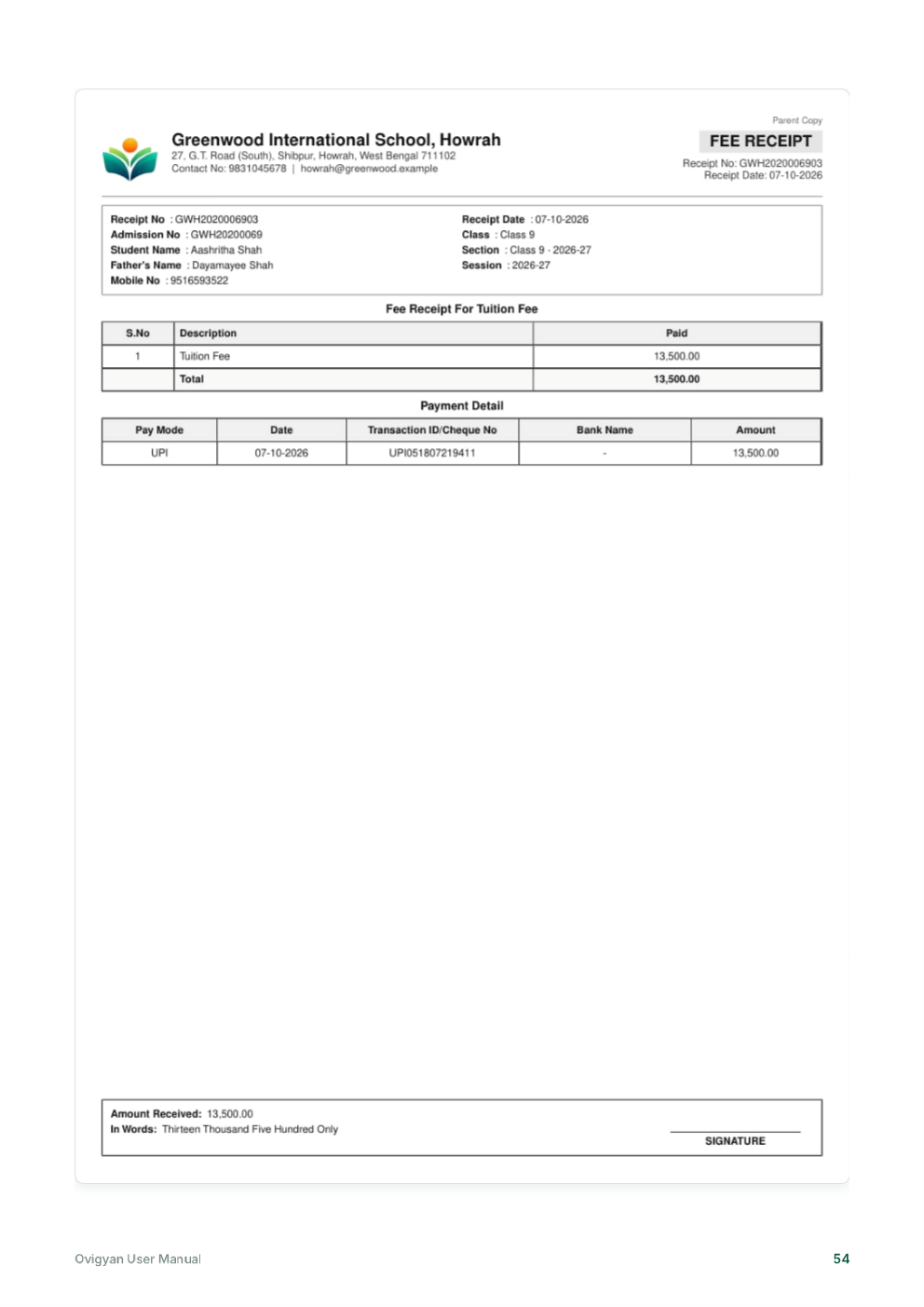
Fee administration includes more than accepting payments. Schools define fee heads and due dates, record collections, issue receipts, manage approved adjustments and review balances. Fee management software can bring these steps into a more traceable workflow.
Organise fee schedules and student balances
A digital fee record can associate charges with the right student, class or academic session. This helps staff review what is due and what has been received without rebuilding each view from separate spreadsheets.
Ovigyan’s manual describes fee setup, student balances and payment workflows. Schools should confirm how the selected system handles their own fee rules, concessions, fines and approval process.
Record payments and issue receipts
When a payment is recorded against a fee head, staff need a clear record of the amount, date and method, plus a receipt that can be retrieved later. The manual outlines a collect-fee workflow that checks the balance and produces a receipt. Follow the school’s approved accounting and reconciliation procedures for every transaction.
Review reminders and finance reports
Payment reminders and finance reports can help teams follow up on due balances and understand collections over a chosen period. Reports should be reviewed against the school’s financial records, with access limited to staff who need it.
Questions to ask before adopting
- Can fee heads and schedules match our policies?
- How are refunds, discounts and adjustments approved?
- Can receipts be searched and reprinted by authorised staff?
- What reports and exports are available for reconciliation?
Build a dependable fee collection routine
Set a consistent process for checking the student, fee head and amount before saving a payment. Give each receipt a traceable reference and tell families how to report a discrepancy. At the end of a collection period, reconcile the system’s records with the institution’s bank and accounting records.
Access controls matter because fee information is sensitive. Limit financial actions to the staff who need them, use an approval step for adjustments where policy requires one, and review the audit trail or change history available in the chosen product. Ask the provider how records are backed up and exported.
Frequently asked questions
Can fee management software send payment reminders?
Some systems include reminders or notifications. Confirm which channels are supported, how messages are configured, and how the school can avoid sending outdated or duplicate notices.
Does fee software replace financial reconciliation?
No. It can organise payment entries and receipts, but staff should continue reconciling records with bank statements and the school’s accounting process.
Ovigyan Education ERP
Explore tools for everyday school operations
See how Ovigyan brings admissions, attendance, fees, examinations and other institute workflows together.
Explore Ovigyan