

School administration
How Education ERP Helps School Administrators
Explore how education ERP software can help administrators coordinate branches, admissions, finance, attendance, staff and reports.
By Infinio Labs Technologies Pvt. Ltd.
School administrators coordinate information across people, departments and sometimes multiple branches. An education ERP can help by connecting common records and workflows, while giving each staff member access suited to their responsibilities.
Coordinate work across branches and teams
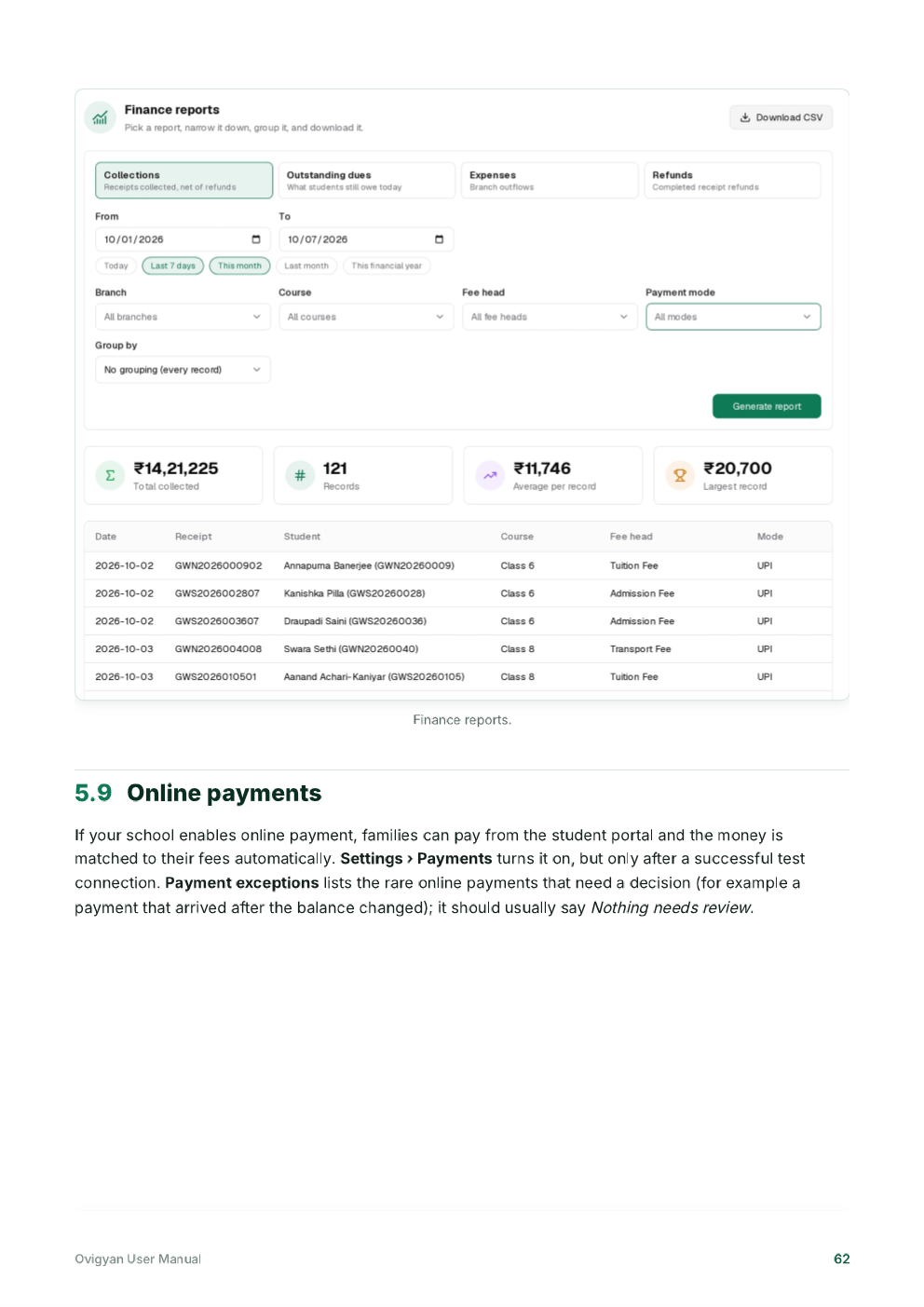
A shared system can help administrators review branch information, manage staff roles and understand how routine activities are progressing. Ovigyan’s manual includes branch comparison, role-based administrator access, an audit log and finance reports among its administrative workflows.
Use these tools according to the institution’s own policies. Decide which roles may view, add, change or approve each type of information.
Use reports to support decisions
Reports can bring together information such as admissions, attendance or fee collections for a chosen period. Administrators can use them to identify items that need follow-up, but should confirm the report definitions and check data quality before relying on totals for decisions.
Reduce repeated coordination
When staff maintain a consistent record, administrators spend less time requesting the same details from multiple teams. Clear ownership still matters: define who updates records, who checks them and how exceptions are escalated.
Build a useful operating routine
- Review only the reports that support a specific decision.
- Set a regular process for data checks and approvals.
- Train each role on the workflows they actually use.
- Review access when staff responsibilities change.
Use role-based access and a clear audit process
Administrators may need a broad view of school operations, while teachers, admissions staff and finance teams need different tools. Role-based permissions help align access with responsibilities. Review these roles when a staff member changes position or leaves, and avoid shared accounts where individual access is available.
An audit log can help answer who changed a record and when, if the product provides that information. Administrators should know how to review changes, correct an error and escalate a concern. Combine system records with written procedures so that important decisions remain understandable after a handover.
Frequently asked questions
Which reports are most useful to school administrators?
Choose reports tied to a decision, such as admissions follow-up, attendance review or fee reconciliation. The useful set depends on the school’s goals and how reliably its data is maintained.
How should administrators manage staff access?
Assign individual accounts and permissions based on job responsibilities. Review access regularly and update it promptly when roles change.
Ovigyan Education ERP
Explore tools for everyday school operations
See how Ovigyan brings admissions, attendance, fees, examinations and other institute workflows together.
Explore Ovigyan