

Institute software
How to Choose the Best ERP for a Coaching Institute
A practical checklist for comparing coaching institute ERP software, from student enrolment and batches to attendance, fees and exams.
By Infinio Labs Technologies Pvt. Ltd.
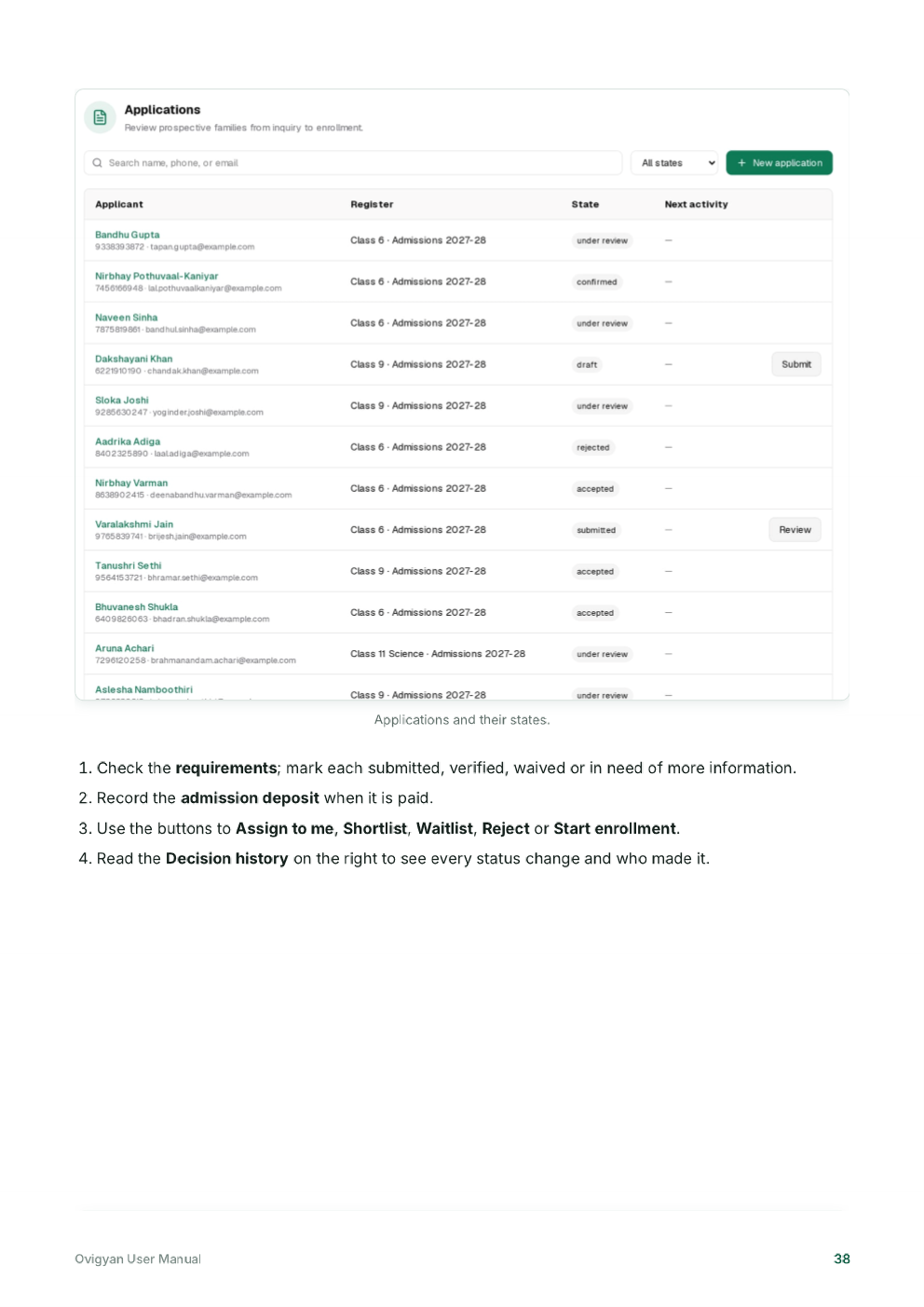
A coaching institute may manage enquiries, admissions, courses, batches, student attendance, fee schedules and tests at the same time. The best ERP is the one that fits the institute’s real operating model and helps staff complete these tasks reliably.
Start with your institute’s workflow
Write down how an enquiry becomes an enrolled student, how students are assigned to a course or batch, and how staff record attendance, fees and assessment results. Include the tasks that happen across branches if you operate more than one.
Ovigyan’s manual shows admissions linked with academic sessions, courses and batches, along with fee details and student records. When comparing products, ask to see your own workflow demonstrated from start to finish.
Compare the features that matter
- Enquiry tracking and admission records.
- Course, session, batch and section management.
- Attendance, examination and result workflows.
- Fee plans, receipts, outstanding balances and reports.
- Staff roles, notifications and student or parent access.
Check usability and support
Ask teachers and administrative staff to try common tasks in a demonstration. Confirm what data can be imported or exported, what training is included, how support requests are handled and what happens if the institute changes its process.
Do not assume a feature is included because it appears in a product overview. Confirm availability, pricing and configuration for the specific plan or deployment you are considering.
Make a clear comparison
Score each shortlisted option against your essential workflows, permissions, reports, ease of use and total operating cost. A short pilot with representative staff can reveal practical issues before a full rollout.
Plan for batches, fees and multiple branches
Coaching operations often change by course and academic session. Ask whether the ERP can keep a student’s batch history understandable when a new session begins, and how staff handle transfers or a student who attends more than one course. Confirm that fee schedules and reports can be reviewed at the level your team needs.
If you operate several centres, verify what each branch manager can see and whether central administrators can compare activity across locations. Ask for examples using realistic data, including a correction or cancellation, so the team sees how exceptions are recorded.
Frequently asked questions
Can a school ERP also work for a coaching institute?
Some education systems support both, but their workflows may differ. Confirm course, batch, enquiry, fee and assessment features against your institute’s actual operating model.
Should a coaching centre choose software based only on features?
No. Check usability, support, data handling, reporting, setup, and the total cost alongside features. A short hands-on pilot helps assess fit.
Ovigyan Education ERP
Explore tools for everyday school operations
See how Ovigyan brings admissions, attendance, fees, examinations and other institute workflows together.
Explore Ovigyan